

Your colleagues, your vendors and WeiSAT in one system project group. Type “@” to call on a colleague — no more passing messages along.
After delivery · Maintenance
WeiSAT System
System trouble? Just say it in the group.
Our AI Engineer and SE engineer work together — they ask, find the cause, fix it, update and ask you to check.
Our systems and third-party platforms, all in one place after launch
Not only the systems we build: third-party software and platforms can be handed to us for maintenance after an assessment. Maintenance, changes and upgrades all run through WeiSAT System — the AI Engineer responds at any hour, finds the cause, fixes the code and updates the system; hands-on work such as site visits, wiring and measurements is done by our SE engineer.
How it works
- 1Say itType, talk, or send photos and videos in the system project group
- 2The project owner approvesThe AI Engineer sums it up as “Here’s what you need…”, and work starts once the project owner confirms
- 3We fix and updateThe AI Engineer fixes the code; on-site work goes to the SE engineer. You pick when to update — if you don’t choose within 24 hours, it updates automatically. Backed up first, checked afterwards, rolled back right away if anything is wrong
- 4You check itWe ask you to try it, and once you’re happy it’s closed (no reply within 24 hours counts as done) — the completion note is filed under “Completed work”
One group for each system
The top of the group shows exactly where things stand: editing, building and testing, checking, waiting for your update time, updating, waiting for your confirmation. For projects with a Windows app, the latest installer is right there too.
Once a fix is ready, you pick when it goes live; if you don’t choose within 24 hours it updates automatically. Your phone lets you know when it’s ready and when it’s done.
After an update we ask you to try it; no reply within 24 hours counts as done. Every item is listed under “Completed work” with what was done and whether it was a new feature or a fix.
When a screen needs changing, the AI Engineer draws a few options based on your current screen, and you choose by looking.
On the servers we maintain, the AI Engineer checks and handles stopped services, nearly full disks and low memory on its own — no need to ask.
Every system has its own manual — searchable, downloadable as PDF, and updated with the system.
Describe it in your own words; the AI asks one question at a time and turns it into a project outline.
The AI Engineer also asks vendors for technical documents and error details in their group, and carries on once they arrive; integration progress lives in one tab.
Available in Traditional Chinese, Simplified Chinese, English and Japanese
Inside the app
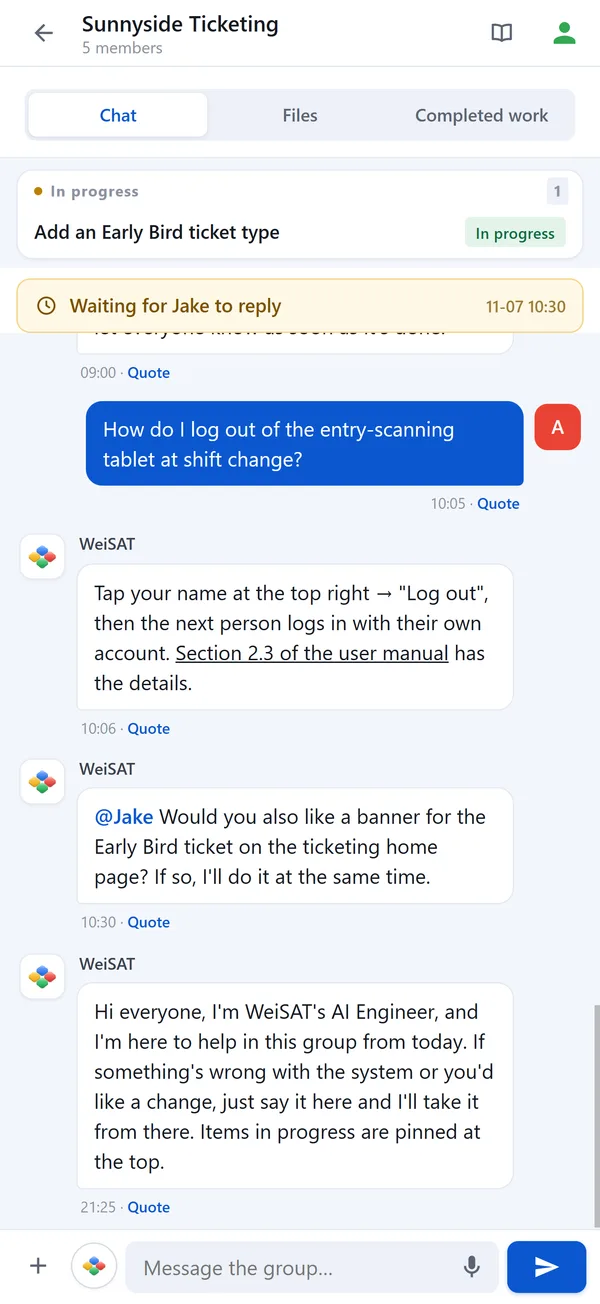
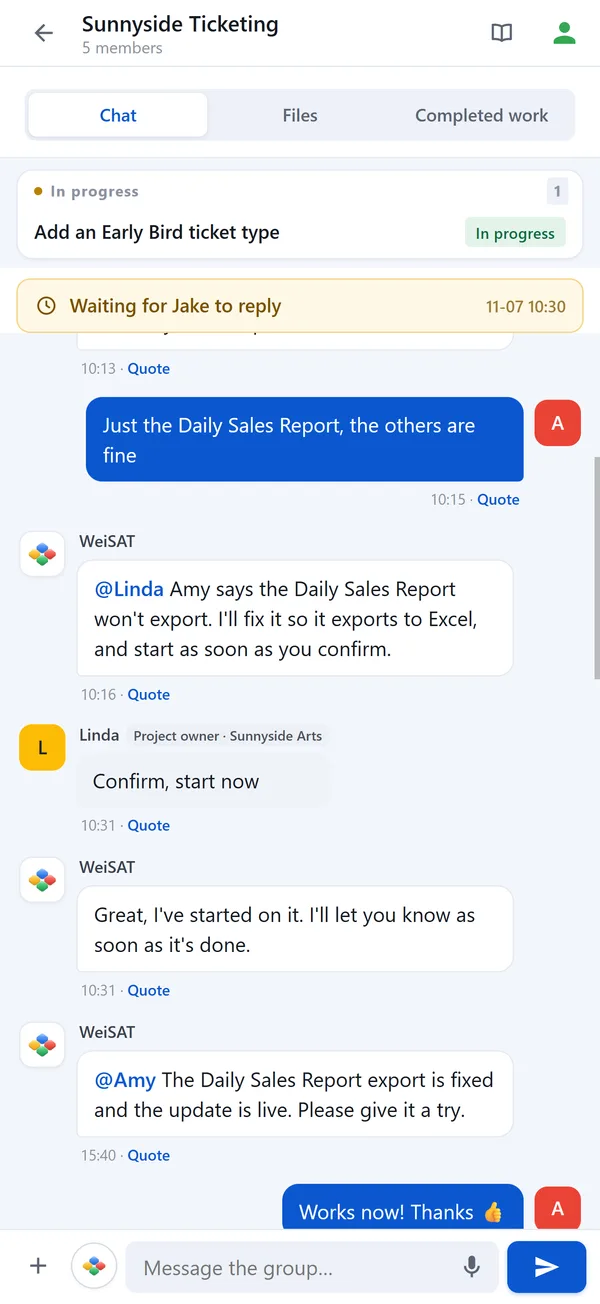
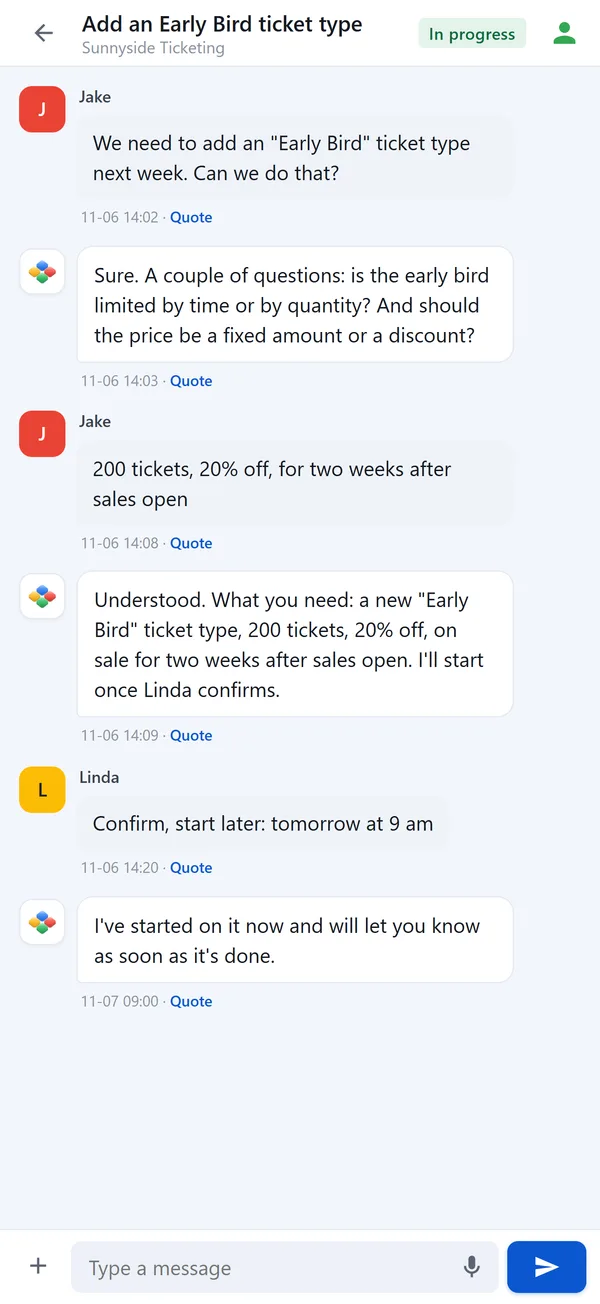
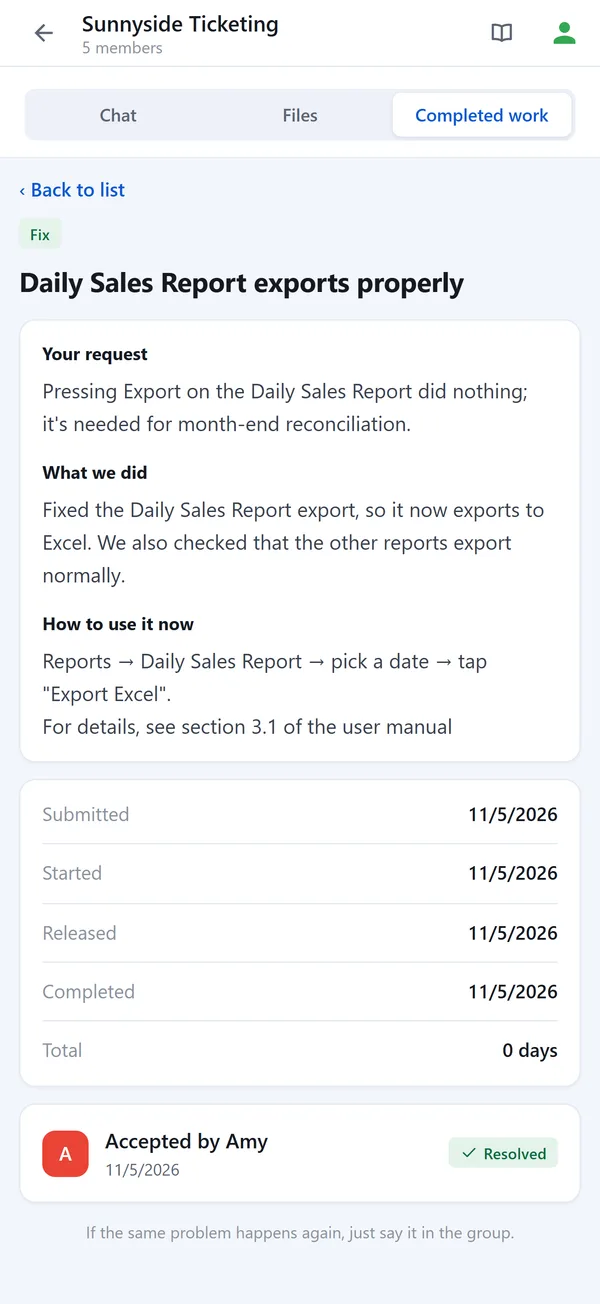
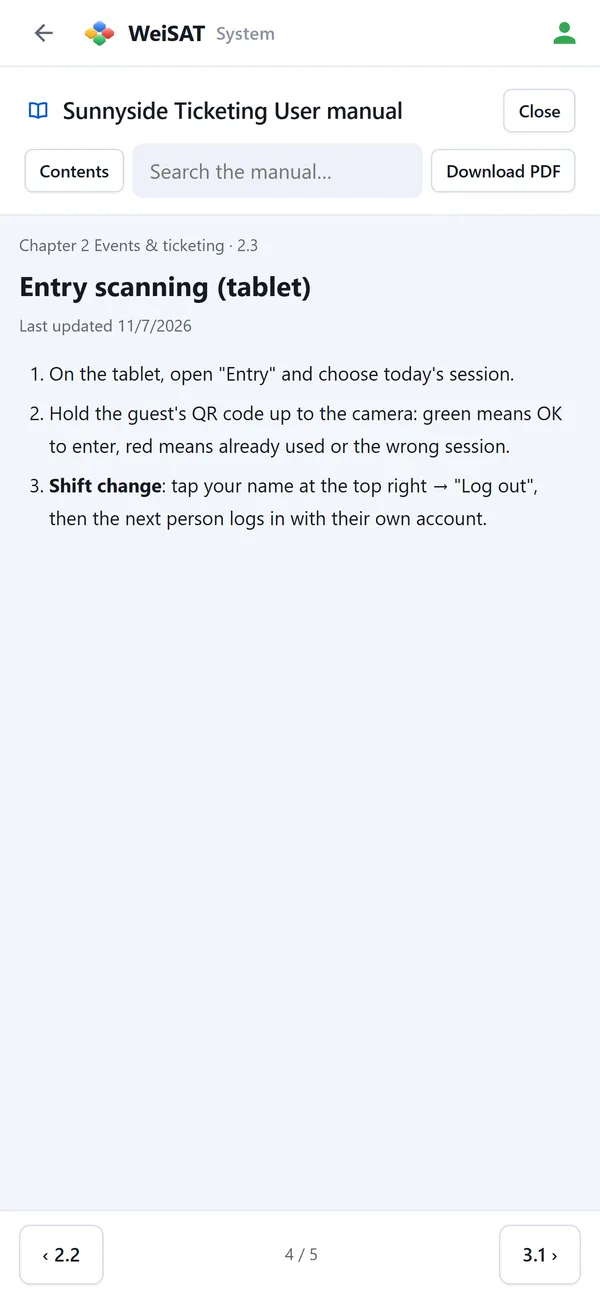
The client shown (“Sunnyside Arts (Demo)”) is fictional.

Get started
For WeiSAT maintenance clients and the colleagues and vendors they invite. An invitation is required to sign up.


FAQ
Who can use it?
WeiSAT maintenance clients and the colleagues and vendors they invite. An invitation is required to sign up.
Can you maintain systems WeiSAT didn’t build?
Yes. For third-party software or platforms we first review the current state, source code and deployment; once we confirm we can take it over, it is maintained in WeiSAT System just the same.
What about issues that need someone on site?
Just say it in the group. Hands-on work such as site visits, wiring and measurements is scheduled with our SE engineer.
Will updates disrupt the system we’re using?
You choose when each update goes live, so you can pick a quiet time. Everything is backed up first and checked automatically afterwards; if anything is wrong it is rolled back right away. Then we ask you to try it.
Want a new feature or a new project?
Use “New project” in the app and describe it in your own words. The AI asks one question at a time and turns it into a project outline for the owner to confirm.
Related articles
Launch is just the start: how we make software maintenance as easy as saying it in a group chat
All articles →How WeiSAT System keeps post-launch fixes simple — one group per system, owner approval first, backups and checks around every update, and how we take over third-party systems.
November 8, 2026 · 4 min read